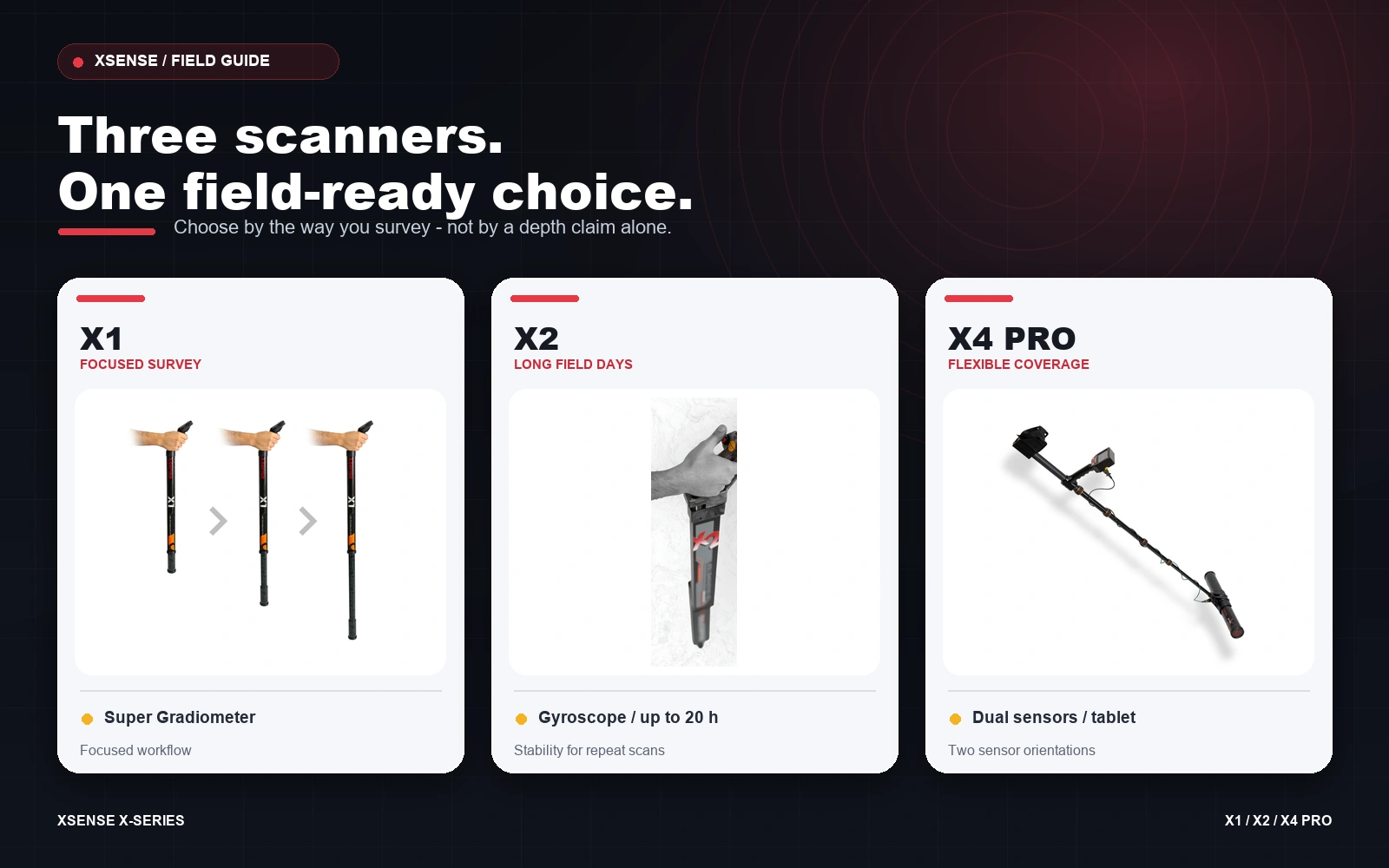
X1 vs X2 vs X4 Pro: Choose a 3D Ground Scanner by Field Workflow
Choosing between the Xsense X1, X2 and X4 Pro is not simply a contest of “which one goes deepest.” Soil, target size, scan discipline and the way you review results all affect what a field scan can tell you. The more useful question is: which instrument best fits the way you plan to survey?
At a glance: what separates the three models?
| Model | Its field priority | Notable equipment | A good fit when… |
|---|---|---|---|
| X1 | A focused, depth-oriented survey | Super Gradiometer sensor, adjustable telescopic design, X3D app, up to 14 hours' battery | You want a straightforward specialist for deliberate scans and detailed review. |
| X2 | Consistency over longer sessions | Two Super Sensors, built-in gyroscope, automatic ground balance, X3D app, up to 20 hours' battery | You value scan alignment support, longer battery life and repeatable field work. |
| X4 Pro | A versatile system for varied survey tasks | Vertical and horizontal Super Sensors, on-device touchscreen and 2D display, included tablet with X3D, discrimination chart, up to 16 hours' battery | You need both a depth-oriented sensor and a faster coverage option, plus an integrated display-and-tablet workflow. |
Pick the scanner that matches your survey
X1: a focused approach to a defined area
The X1 suits operators who prefer to concentrate on a specific patch of ground and collect scan data methodically. Its Super Gradiometer sensor, adjustable telescopic design and X3D analysis make it a practical choice when a simple, depth-oriented workflow matters more than having multiple scanning configurations. Its stated battery life is up to 14 hours.
X2: repeatability and long field days
If keeping a consistent scanning motion is a priority, the X2’s built-in gyroscope can help the operator maintain alignment. It combines two Super Sensors with automatic ground balance and supports live and manual scans through X3D. With up to 20 hours of stated battery life, it is the long-session option in this comparison. Scan guidance still matters: a gyroscope does not replace a measured grid or careful technique.
X4 Pro: flexibility across different coverage needs
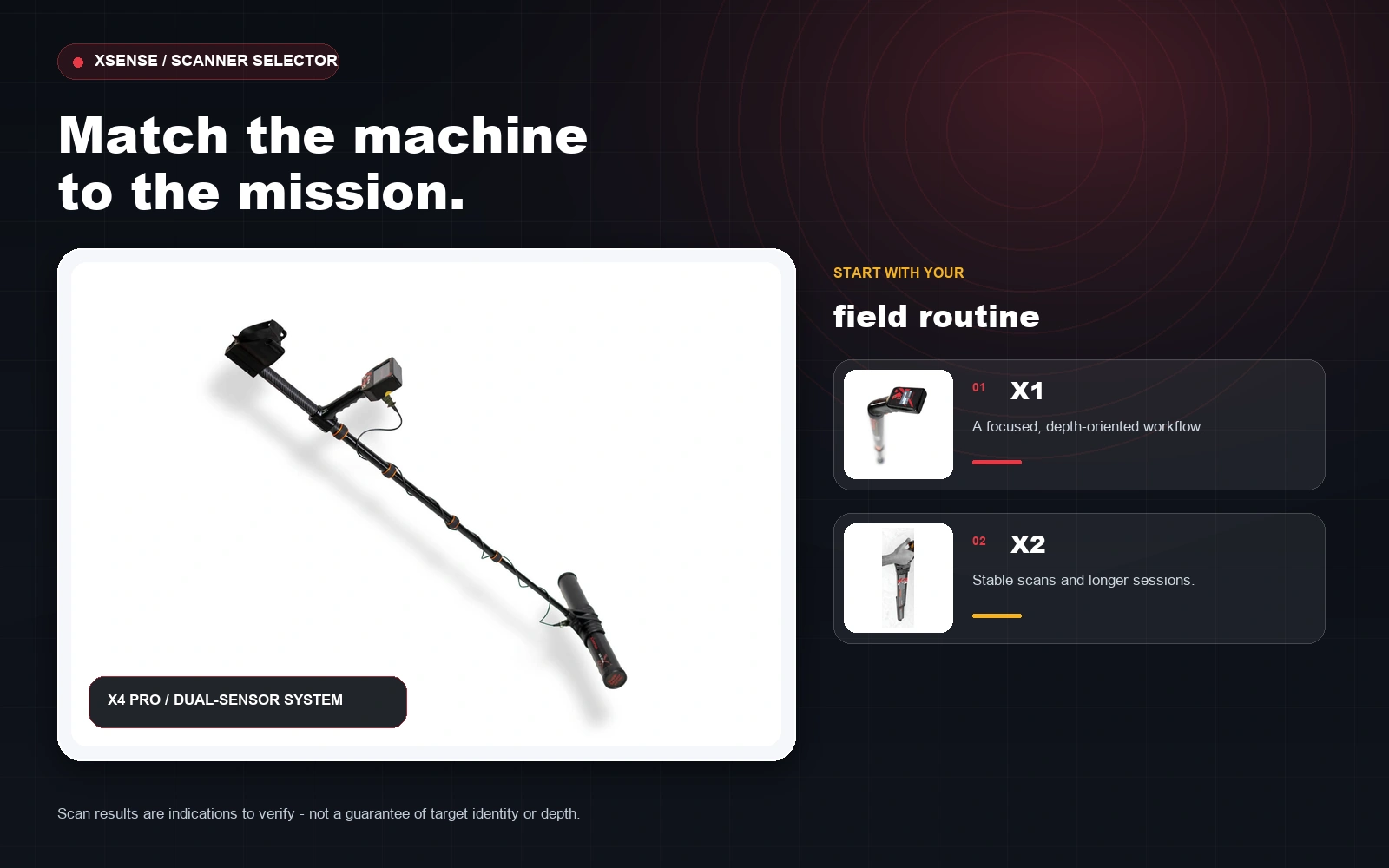
The X4 Pro is designed for surveyors who want to switch between two approaches: its vertical Super Sensor is positioned for depth-focused work, while the horizontal T-sensor is intended for faster coverage. The on-device touchscreen and 2D view complement the included tablet running X3D, while the discrimination chart and magnetic-interference filtering add tools for reviewing field signals. Its stated battery life is up to 16 hours.
A practical scan routine matters as much as the model
- Define the question. Mark a manageable area and decide whether you are screening ground, checking a suspected anomaly or mapping a target.
- Keep the survey controlled. Use a consistent height, pace and direction. Where appropriate, scan a marked grid and repeat it at right angles.
- Review before you dig. Inspect the scan in X3D and treat unusual shapes or colours as indications to verify—not as proof of a specific object or material.
- Confirm carefully. Repeat a questionable scan and compare results. Follow local laws and obtain landowner permission before surveying or excavation.
So, which one should you choose?
- Choose X1 for a focused, depth-oriented scanning routine.
- Choose X2 if scan alignment support and longer stated battery life are high priorities.
- Choose X4 Pro if you want two sensor orientations and the most integrated display-and-tablet workflow of these three.
Before ordering, compare the current package contents, warranty and availability on each product page, and ask Xsense support which configuration suits your ground and experience level. The best choice is the one you can operate consistently—not the one attached to the biggest depth claim.
Frequently asked questions
Is the X4 Pro automatically the right choice for every survey?
No. Its additional sensor orientations and display options are useful when you will use them. For a more focused workflow, the X1 or X2 may be a better match.
Which model has the longest stated battery life?
The X2 is listed for up to 20 hours, compared with up to 14 hours for X1 and up to 16 hours for X4 Pro. Actual runtime varies with use.
Can a 3D scan identify gold with certainty?
No. X3D visualizes scan data and helps review anomalies; an image alone cannot confirm an object's material or guarantee a find. Repeat scans and field verification are important.
Do I need a tablet for all three models?
The X4 Pro product package includes a tablet for X3D. X1 and X2 also work with the X3D app on compatible devices; check each product page for current compatibility and package details.
Find your field-ready fit
Ready to choose your X-series scanner?
The right setup is the one that matches your ground, survey routine and experience. Compare the official product details, then choose the scanner you will feel confident using in the field.
Review current package contents and availability on each product page, or contact Xsense for help choosing.